Free Online 3D Modeling
for 3D Printing
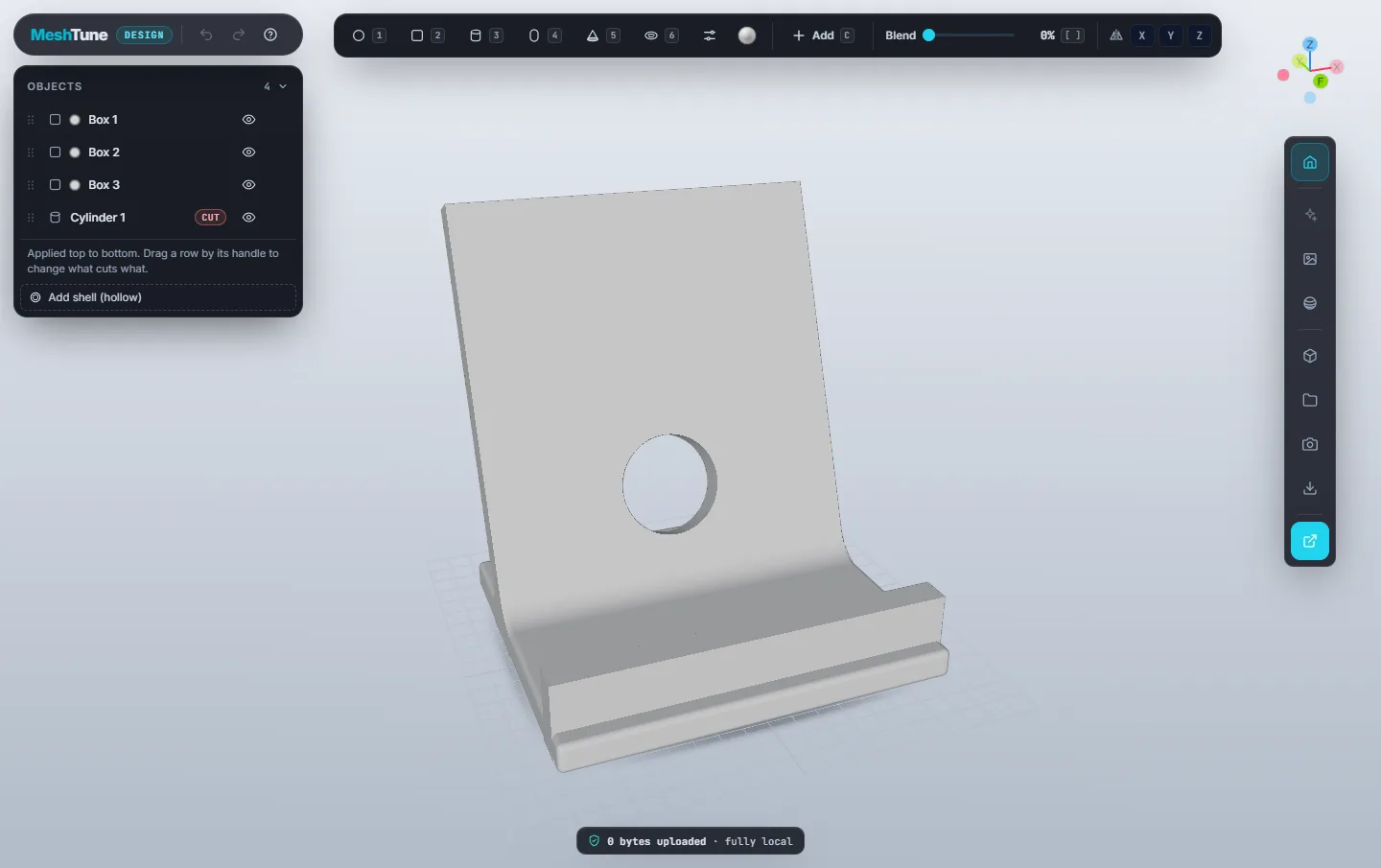
Design printable parts in your browser by adding and cutting simple shapes. Blend them smoothly, type exact sizes in millimetres, hollow the part, and download a watertight STL ready for your slicer. No account and no install, and your design never leaves your computer.
Nothing is uploaded. Modelling and export run inside your browser tab. Your work autosaves on your own computer, and project files download to your disk.
From Idea to STL in Three Steps
If you have stacked building blocks, you already know how this works. Every shape stays a shape, so you can come back and change any of them at any time.
Place Shapes
Pick a sphere, box, cylinder, capsule, cone or torus and drag it onto the bed, or onto another shape to build on it.
Cut, Blend & Size
Switch a shape to Cut for holes and slots, add a blend for smooth fillets, and type exact positions and sizes in mm.
Export & Print
Download a watertight STL, OBJ or PLY, or send it to the Viewer to check wall thickness and printability first.
What You Can Make
Shape-based modelling covers a surprising share of what people print, from parts that must measure true to figures that just need to look good.
Functional Parts
Phone and tablet stands, brackets, spacers, wall hooks and cable clips. Type exact sizes, round the corners to a radius, and cut holes for screws.
Enclosures & Shells
Hollow a part to a set wall thickness, then cut ports, vents and button openings through the walls. Grooves follow curved surfaces for split lines.
Knobs, Caps & Organisers
Replacement knobs, bottle caps, desk trays and drawer dividers: simple solids with pockets cut in, filleted so they feel finished in the hand.
Figures & Toys
Blend spheres, capsules and cones into characters, then paint cheeks and details in colour and render a 4K picture to share.
Quick Prototypes
Block out a product idea in minutes, review its surfaces with zebra stripes and sections, and print it the same afternoon.
Learning 3D Design
A gentle first step into CAD for students and makers: no install, no account, and nothing to lose, because every change can be undone.
More Than Stacking Blocks
Design starts as simple as a beginner's tool, with the controls you'll want once you're printing real parts.
Live Booleans
Add and cut shapes in any order and edit any of them later. Reorder the list to change what cuts what.
Smooth Blends
Melt shapes together with a fillet as a percentage or an exact radius in mm, without swelling the part past its outer size.
Exact Dimensions
Type position, size, rotation and corner radius in mm and degrees, align shapes to the model's edges, and snap to 1 mm and 15°.
Mirror Symmetry
Mirror across X, Y or Z while you work, so every shape you place gets a twin on the other side.
Shell & Grooves
Hollow a part to a wall thickness and cut openings through it. Grooves follow curved surfaces for split lines.
Surface Inspection
Zebra stripes, curvature colours and a live section view to check smoothness and wall thickness before you export.
Studio Renders
Photographic lighting from eleven environments, colours and finishes, and PNG images up to 4K with a transparent background.
Print Check
Every export is checked for floating or barely-touching parts, and one click moves them into solid contact.
Make It, Then Prove It Prints
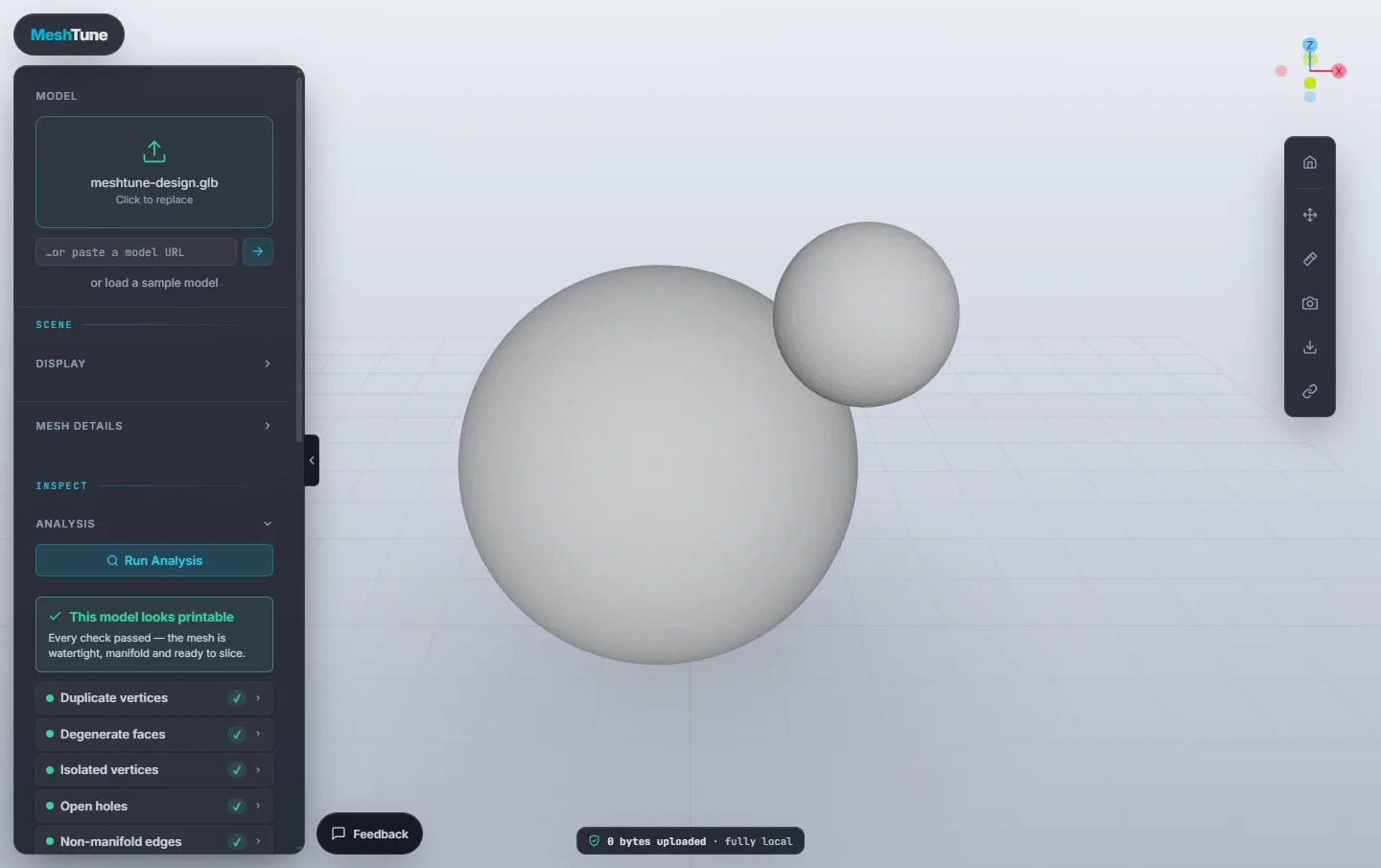
Design is where you make the part. The MeshTune Viewer is where you check it. One click on Open in Viewer sends the finished solid across, where you can run the printability analysis, map wall thickness, find the best print orientation, check overhangs and build-volume fit, and estimate material, all still in your browser.
A Private, No-Account Tinkercad Alternative
Most free modellers ask you to sign in and keep your designs on their servers, or to install a large desktop application. Design does neither.
| MeshTune Design | Tinkercad | Fusion | Blender | |
|---|---|---|---|---|
| Price | Free | Free | Free personal licence (limited) / paid | Free |
| Account required | No | Yes | Yes | No |
| Where designs live | Your computer only | Cloud | Cloud | Your computer |
| Install required | None — runs in browser | None | Desktop install | Desktop install |
| Learning curve | Minutes | Minutes | Steep | Steep |
| Smooth blends between shapes | Yes | No | Yes (fillets) | With modifiers |
A general comparison of common free modelling options. Product names are trademarks of their respective owners; details may change over time.
Online 3D Modeling — Common Questions
Is MeshTune Design free?
Yes, completely free, with no account, no subscription and no export limits.
Do I need to create an account or install anything?
No. Open Design in a desktop browser and start modelling. Your work autosaves in your own browser, and you can download project files whenever you like.
Is my design uploaded to a server?
No. Modelling, rendering and export all run in your browser tab. MeshTune never receives your design.
Which file formats can I export?
STL, OBJ and PLY in millimetres, plus PNG images up to 4K. Projects save as .mtdesign files that keep every shape editable.
Is it a Tinkercad alternative?
It works the same shape-based way and adds smooth blends between shapes, surface-following grooves, hollowing and surface inspection. It needs no account, and your designs stay on your computer instead of in the cloud.
Can I edit an existing STL file?
Design builds parts from shapes and does not import meshes. To check, repair, measure or resize an existing STL, use the MeshTune Viewer.
Does it work on a phone or tablet?
Design needs a window about 900 px wide, so use a laptop or desktop. A mouse makes modelling much easier.
Design Your First Part Now — Free
Open Design, drag out a shape, and have a printable STL in minutes. Nothing uploaded, nothing installed.